

 De
De  Fr
Fr  Pt
Pt  En
En 

Articles
nanoCAD is more than just a drawing tool. It’s powerful software with a broad feature set, professional 2D/3D modules and extensive capabilities to help you carefully design, view and organize DWG files and their properties in engineering and architecture.
Find some common topics with product-specific information below to support your learning on the way to master nanoCAD.
Find some common topics with product-specific information below to support your learning on the way to master nanoCAD.
16.10.2026
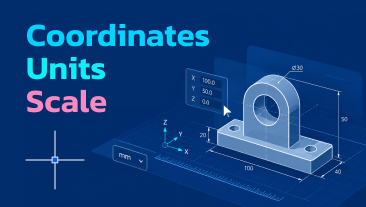
Coordinates, Units, and Scale
In CAD you draw real objects at their actual size, not scaled-down pictures. This article explains the three concepts that follow from that principle: units (what “1” means), coordinates (how to specify exact points), and scale (why model space is always 1:1, and how annotation scale keeps dimensions and text readable on paper). Includes a note on how Dynamic Input affects coordinate entry.
16.10.2026
Making nanoCAD Your Own
nanoCAD works well out of the box, but better when it matches the way you think. This article shows how to configure the interface through a single Customize user interface dialog: creating command aliases, assigning keyboard shortcuts, building your own toolbars and panels, and saving your setup as a profile you can switch between or share with a colleague. It also covers how to safely undo it all if something goes wrong.
15.10.2026
AutoSave and Backups in nanoCAD
A crash, a freeze, a power outage - hours of drawing gone in seconds. This article covers the three layers of protection nanoCAD runs in the background: AutoSave, which periodically writes unsaved changes to a temporary file; backup copies (.bak and .original), stored alongside your drawing; and File History, which keeps older versions for days. It also explains crash recovery, incremental saving, and the settings worth checking before you need them.
14.10.2026
Creating, Opening, and Saving Drawings
Every nanoCAD drawing lives in a DWG file. This guide covers the essentials: starting a blank drawing or one from a template, opening existing files safely (read-only, as a copy, or dragged straight in), saving in DWG, DXF, or DWT formats, and the AutoSave and backup features that protect your work.
13.10.2026
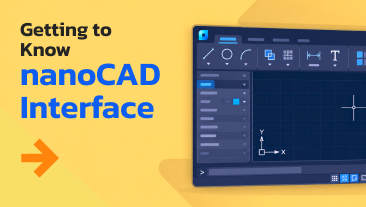
Getting to Know the nanoCAD Interface
New to nanoCAD? This guide walks you through the workspace element by element: the Ribbon and Classic interfaces, the nanoCAD button and Quick Access Toolbar, the drawing window, the command line with its aliases and autocomplete, functional palettes, and the status bar. A clear map of the interface, so you can stop searching and start drawing.

29.08.2023
Four Tricks to Speed Up Your Drawing
In this article, you will learn small tricks that will help you reduce the time spent on the design of tables and leaders.
22.06.2023
Creating Parametric Objects in nanoCAD Mechanica Part 3
The main benefit of parameterizing objects lies in the creation of implementations and the inclusion of external constraints with other library objects for designing intelligent assemblies managed through object parameters. In the final part, we will use the nanoCAD MechWizard toolbar, which is specifically designed for creating comprehensive parametric objects and effectively managing the addition of constraints.
18.01.2023
Creating Parametric Objects in nanoCAD Mechanica Part 2
In this article, we continue our step-by-step guide to help you create and manage parametric objects with the MechWizard in nanoCAD Mechanica. Now, when you already know how to create a library object and connect geometry to it, it’s time to learn how you can modify the script in accordance with the functionality required of the object. Follow along to generate a program script in the Script master.
09.12.2022
Creating Parametric Objects in nanoCAD Mechanica Part 1
This article is a step-by-step guide to create parametric objects with the MechWizard in nanoCAD Mechanica. You will see how to generate different variations or types of the same object by using different parameters, as well as manage multicomponent assemblies, creating different variations of a single node or a part as a whole. Use this guide to explore the nanoCAD Mechanica module’s capabilities and create parametric elements with ease.
28.10.2022
Migrating to nanoCAD
This article is for those who want to transfer from alternative CAD software and start creating greatest projects with nanoCAD fast & easy. It covers everything from the initial set up to the instructions on how to configure and customize the workspace in the nanoCAD platform.

11.10.2022
nanoCAD Tips & Tricks for Plotting
In this article, you will learn a few life hacks that will help you quickly make the necessary settings and prepare documents for printing.

06.09.2022
How to Shade and Shape, or How to Create Artwork with nanoCAD
In this article you’ll learn:
- How to use shading and gradient in nanoCAD?
- What shape files are and how to use them?
- How to fill an area with a shape?
- Where the hatch files and shape files are stored, and how to transfer them?
- How to create your own hatches and shapes?